Written by the SquareFaces team. Updated April 2026.
Avatar Guides
SquareFaces is built for quick profile pictures that still stay readable at small sizes. These guides explain how to design a clear square face avatar, choose a safe export size, preview circular crops, and reuse the image across Discord, Steam, forums, newsletters, and social profiles.
Which guide should you read first?
| Goal | Read this | Why |
|---|---|---|
| Make your first avatar | How to Make a Square Face Avatar | Start with the basic workflow: face shape, colors, details, preview, and PNG export. |
| Upload to Discord | Discord Avatar Size Guide | Learn safe export sizes, circular crop behavior, and upload checks. |
| Choose a visual style | Square Face Avatar Examples | Compare cute, gaming, pixel-style, cat, minimal, and funny avatar ideas. |
What makes a good square avatar?
A good avatar is not just a large image. It has to survive small UI sizes. Most profile pictures are shown beside usernames, chat messages, comments, or member lists. That means the face shape, eyes, mouth, and main color contrast must be clear before any small accessory matters.
For SquareFaces, the safest approach is to keep the face centered, use a simple background, choose one memorable detail, and preview the result at 32px, 64px, and 128px before using it publicly.
Square avatar workflow
- Start with the face shape before adding accessories.
- Pick one main color contrast: hair vs face, face vs background, or accessory vs face.
- Keep important details away from the corners so circular crops do not hide them.
- Export a square PNG and preview the avatar at small sizes.
- Reuse the original PNG when uploading to Discord, Steam, forums, or other platforms.
Example avatars
The examples below are selected because they show different ways to keep a square avatar readable. The goal is not to copy one style exactly, but to understand what makes each profile picture work.
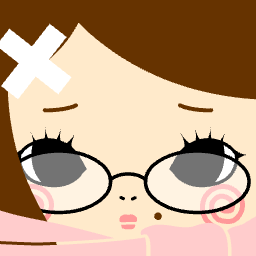
Centered profile avatar
- Best for
- Forums and general social profiles
- Why it works
- The face stays near the center and the expression is readable without relying on tiny details.
- Crop risk
- Low. The eyes, mouth, and main face shape stay inside a circular crop.
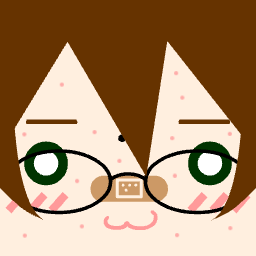
High contrast character icon
- Best for
- Discord and Steam
- Why it works
- The stronger contrast between hair, face, and background helps the avatar remain visible in chat lists.
- Crop risk
- Medium. Check tall hair or accessories before using it in a circular frame.
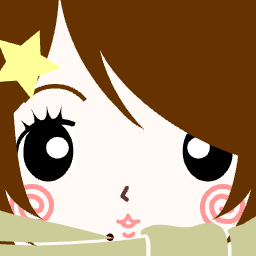
Cute expression avatar
- Best for
- Casual social profiles
- Why it works
- The expression is simple enough to understand quickly, which is useful when the avatar appears beside comments.
- Crop risk
- Low. The main expression is centered and does not depend on corner details.
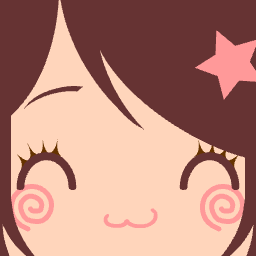
Bright social avatar
- Best for
- Social media and profile cards
- Why it works
- A clean background gives the character enough separation from the frame.
- Crop risk
- Low. The important features sit away from the corners.
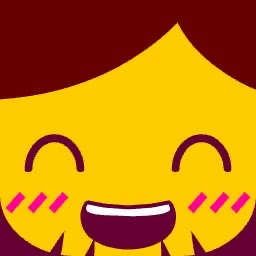
Bold gaming profile icon
- Best for
- Discord servers and gaming forums
- Why it works
- The silhouette is stronger than the small details, so it survives small profile slots.
- Crop risk
- Medium. Preview it as a circle if the design has details near the top edge.
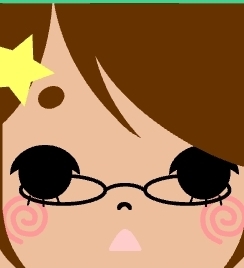
Soft color avatar
- Best for
- Friendly personal profiles
- Why it works
- Soft colors work because the face still has enough contrast against the background.
- Crop risk
- Low. The face remains centered and easy to crop.
Avatar guide FAQ
Are square avatars still useful if a platform shows them as circles?
Yes. Uploading a square image gives platforms a predictable source image. The key is to keep the face and important details inside the center area so circular crops do not hide them.
What file format should I use?
PNG is the safest choice for generated avatars, pixel-style icons, flat colors, and crisp edges. JPG can work for photo-like images, but it may soften small details.
Do I need a large image?
Keep the largest PNG you download, then let each platform resize it. The design should still look clear when previewed at 32px or 64px.
Should I use many accessories?
Usually no. One memorable detail is easier to recognize than several tiny accessories that disappear in small profile slots.
Create your own avatar
Open the Square Face Generator, follow the step-by-step avatar guide, or compare styles in the square face avatar examples.