Oval Face Generator
Best for softer and friendlier profile icons
The Oval Face Generator is designed for users who prefer a softer avatar style than a square or pixel face. Oval shapes can feel more friendly, approachable, and personal, making them useful for social profiles, community accounts, and lightweight personal branding.
Compare avatar styles in the examples guideBest for
- Friendly social profile pictures
- Softer personal avatars
- Community and forum identities
- Users who want less blocky shapes than square avatars
Practical tips
- Keep the face centered for circular platform crops.
- Use gentle contrast so the oval shape stays visible.
- Avoid too many accessories if you want a cleaner personal icon.
- Use warm colors for a friendlier feel.
Style choice
When to Choose an Oval Face Avatar
Oval face avatars are useful when the profile image should feel softer, friendlier, and less blocky than a square or pixel avatar. The rounded outline can make a simple character feel more personal, especially for social accounts, community profiles, and lightweight personal branding. Choose the oval style because the softer shape supports the identity, not because it is a generic avatar option.
Crop and balance
Oval Avatar Crop and Balance Tips
The oval outline needs enough contrast to stay visible, but it should not overpower the face. A common problem is placing large hair shapes or accessories too close to the edge, which makes the avatar feel crowded after a circular crop. Keep the face centered, then use hair, blush, or glasses as supporting details rather than the whole identity.
If you need a hard-edged retro identity or a very strong silhouette, a square or pixel avatar may be a better choice than an oval face.
- Keep the oval outline visible against the background color.
- Center the eyes and mouth so circular platform crops do not hide the expression.
- Avoid hair shapes that completely cover the oval form.
- Leave space around glasses, bows, or earrings so the icon does not feel cramped.
- Use gentle contrast for a friendly look, but increase contrast around the eyes and mouth.
Problem solving
Common Oval Face Design Problems
Oval avatars often fail when the face becomes too plain or the outline disappears into the background. The fix is usually small: increase contrast, add one clear feature, or move the main expression inward. The best oval avatars still have a recognizable center point, even when the overall style is soft.
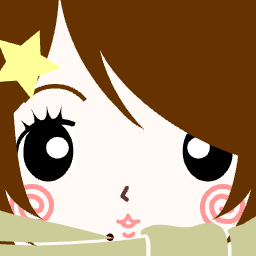
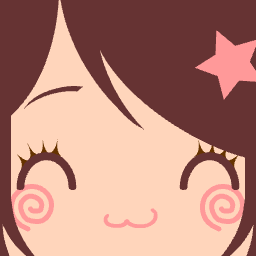
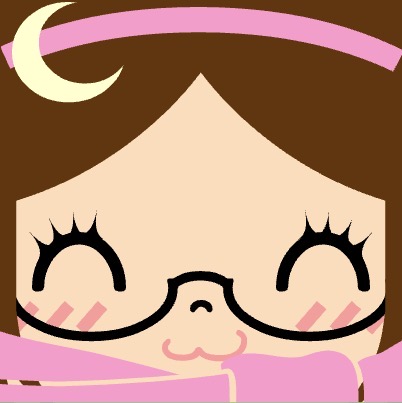
Soft avatar style examples
Use these examples as inspiration for friendly and approachable profile icons.

Why Use This Oval Face Generator?
Discover what makes our round avatar maker special.
Soft Shape Psychology
Oval and round shapes evoke friendliness, warmth, and approachability, making your profile more inviting.
Reliable Flash Alternative
A modern, flash-free solution that works on all modern browsers without plugins.
Emoji-Friendly Designs
Create simple rounded icons that can sit near standard emoji-style visuals.
Secure Local Generation
All processing happens in your browser. Your photos and data never leave your device.
Useful Scenarios for Round Avatars
Where to use your new oval face icons.
Social Profiles
Stand out on Instagram, TikTok, and Twitter with a unique round pfp.
Custom Stickers
Create personalized sticker packs for WhatsApp and Telegram.
Brand Identities
Design approachable mascots for your personal brand or business.
Kids & Family
Safe and fun avatar creation for children and family groups.
Creating Your Oval Character
Three simple steps to build a softer avatar concept.
Pick Your Oval Base
Start by selecting the basic face shape and skin tone.
Adjust the Looks
Customize eyes, hair, mouth, and accessories to match your style.
Get the Icon
Download your high-definition PNG avatar instantly.
Generator Highlights
Key features of our tool.
100% Free
No hidden costs or premium unlockables.
No Flash Needed
Built with modern web technologies for maximum compatibility.
Mobile Ready
Design on the go with our fully responsive interface.
HD Export
Export a clean image that can be tested across the platforms you use.
Randomize Tool
Stuck? Let the randomizer inspire your next creation.
Cute Aesthetics
Designed with a focus on 'kawaii' and charming visual styles.
Oval Face Generator Common Questions
Frequently asked questions about our tool.