Curated by the SquareFaces team. Updated April 2026. These examples are selected to show different ways a square avatar can stay readable in small profile slots.
Square Face Avatar Examples
Square face avatars can be cute, funny, minimal, pixel-style, cat-themed, or gaming-focused. The best style depends on where you want to use the image and how recognizable it needs to be at small sizes.
The examples below are not just decoration. Each one includes notes about where the style works, why it stays readable, and what to check before using a similar avatar publicly.
Curated avatar examples
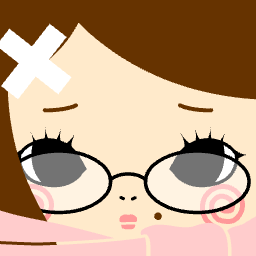
Centered profile avatar
Minimal- Best for
- Forums and general social profiles
- Why it works
- The face stays near the center and the expression is readable without relying on tiny details.
- Crop risk
- Low. The eyes, mouth, and main face shape stay inside a circular crop.
- How to recreate it
- Start with a simple face, then add only one accent detail before exporting.
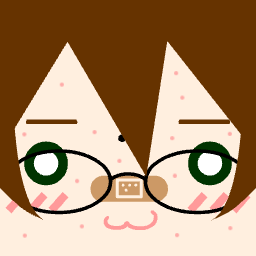
High contrast character icon
Gaming- Best for
- Discord and Steam
- Why it works
- The stronger contrast between hair, face, and background helps the avatar remain visible in chat lists.
- Crop risk
- Medium. Check tall hair or accessories before using it in a circular frame.
- How to recreate it
- Use one dark shape and one light face color so the character reads at 64px.
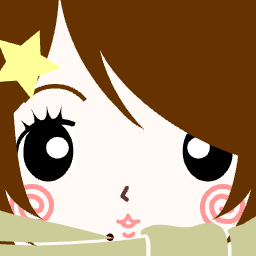
Cute expression avatar
Cute- Best for
- Casual social profiles
- Why it works
- The expression is simple enough to understand quickly, which is useful when the avatar appears beside comments.
- Crop risk
- Low. The main expression is centered and does not depend on corner details.
- How to recreate it
- Keep blush, mouth, and eyes large enough to recognize after resizing.
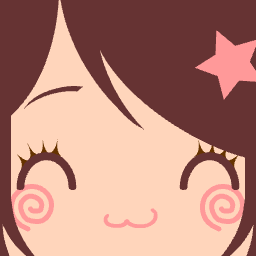
Bright social avatar
Cute- Best for
- Social media and profile cards
- Why it works
- A clean background gives the character enough separation from the frame.
- Crop risk
- Low. The important features sit away from the corners.
- How to recreate it
- Choose a background color that does not blend into the hair or face.
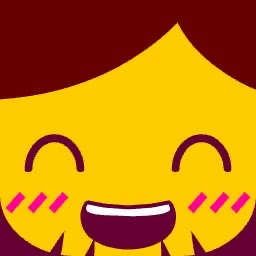
Bold gaming profile icon
Gaming- Best for
- Discord servers and gaming forums
- Why it works
- The silhouette is stronger than the small details, so it survives small profile slots.
- Crop risk
- Medium. Preview it as a circle if the design has details near the top edge.
- How to recreate it
- Prioritize the outline and eyes before adding secondary accessories.
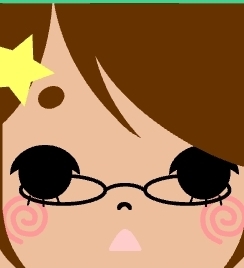
Soft color avatar
Minimal- Best for
- Friendly personal profiles
- Why it works
- Soft colors work because the face still has enough contrast against the background.
- Crop risk
- Low. The face remains centered and easy to crop.
- How to recreate it
- If using soft colors, keep the eye and mouth shapes simple and clear.
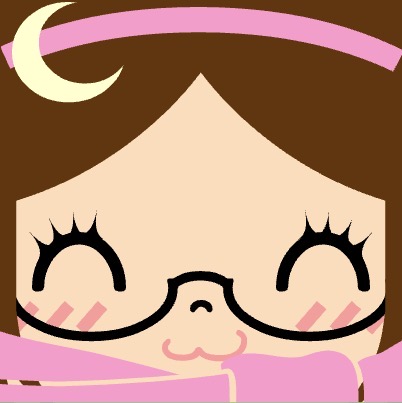
Playful community avatar
Funny- Best for
- Forums and casual communities
- Why it works
- The design has personality without needing text, which is important for small icons.
- Crop risk
- Medium. Check whether any playful detail is close to the edge.
- How to recreate it
- Use one funny or exaggerated feature, then keep the rest of the avatar simple.
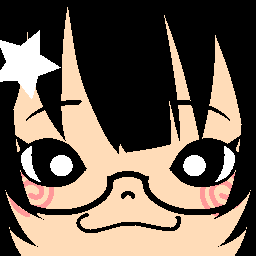
Balanced profile picture
Minimal- Best for
- Discord, forums, and newsletters
- Why it works
- The composition is balanced, so the avatar still makes sense when cropped into a circle.
- Crop risk
- Low. The key features are not placed in the corners.
- How to recreate it
- Leave a small margin around the face before exporting.
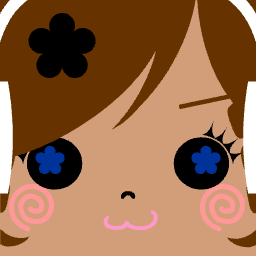
Expressive square avatar
Cute- Best for
- Social profiles and chat apps
- Why it works
- The expression is the focal point, and the background does not compete for attention.
- Crop risk
- Low. The expression remains inside the safe center area.
- How to recreate it
- Pick the expression first, then choose colors that support it.
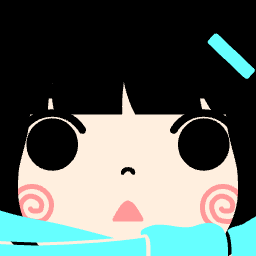
Character identity avatar
Gaming- Best for
- Game profiles and community identities
- Why it works
- A recognizable main feature helps users identify the avatar quickly in lists.
- Crop risk
- Medium. Make sure the identity detail is not placed too close to the edge.
- How to recreate it
- Choose one identity feature, such as hair shape, glasses, or color accent.
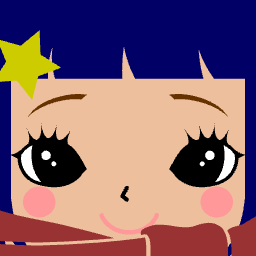
Small icon friendly avatar
Minimal- Best for
- Comment sections and forum avatars
- Why it works
- The design avoids small text and unnecessary decorations, so it remains legible at small sizes.
- Crop risk
- Low. The face has enough space around it for platform cropping.
- How to recreate it
- Preview the avatar at 32px before deciding it is finished.
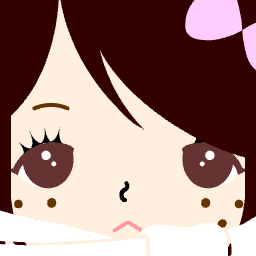
Clean square avatar
Social- Best for
- General profile pictures
- Why it works
- The avatar uses clean shapes and avoids busy backgrounds, making it reusable across platforms.
- Crop risk
- Low. The most important details are centered.
- How to recreate it
- Use a square PNG export and let each platform resize it.
Avatar styles
Cute square avatars
Cute square avatars use soft colors, rounded features, simple eyes, and warm backgrounds. This style works well for friendly social profiles, casual communities, and personal icons.
Gaming avatars
Gaming avatars need stronger contrast and a clear silhouette. Use bold hair shapes, expressive eyes, or one memorable accessory so the icon stands out in Discord, Steam, and game-related communities.
When recreating this style, start with the silhouette first. If the outline works at 64px, then add one identity detail such as glasses, hair shape, or a color accent. Avoid text inside the avatar because it usually becomes unreadable in friend lists and chat messages.
Pixel avatars
Pixel avatars should stay simple. Large blocks of color, readable silhouettes, and limited palettes usually look better than tiny details.
For a pixel-style avatar, use fewer colors than you would use in a normal illustration. A small profile icon benefits from clear blocks, crisp edges, and a face that remains understandable when resized. Export as PNG so the edges stay sharp.
Cat avatars
Cat avatars work best when ears, eyes, and whiskers remain visible after resizing. Keep the pet-themed details near the center so a circular crop does not hide them.
The most common cat avatar problem is edge cropping. Ears, hats, and tall hair can sit too close to the top of the image. Leave extra space above the head and preview the avatar as a circle before uploading it to Discord or other profile platforms.
Minimal avatars
Minimal avatars use fewer parts and cleaner colors. They are useful when you want a profile image that feels calm, simple, or more professional.
Funny avatars
Funny avatars usually rely on one exaggerated feature, such as unusual glasses, a strange expression, or an unexpected color combination. The joke should still be visible at small sizes.
How to choose a style
| Avatar style | Best for | Design tip |
|---|---|---|
| Cute | Social profiles and casual communities | Use warm colors and simple expressions. |
| Gaming | Discord, Steam, Twitch, and forums | Use stronger contrast and a bold silhouette. |
| Pixel | Retro or indie game identities | Limit tiny details and use clear blocks of color. |
| Cat | Playful profiles and pet-themed identities | Keep ears and whiskers visible near the center. |
| Minimal | Professional or simple accounts | Reduce accessories and rely on clean contrast. |
| Funny | Casual communities | Use one exaggerated feature instead of many small jokes. |
Before you use an example as inspiration
- Preview your avatar as both a square and a circle.
- Check whether the expression works at 64px.
- Do not copy a busy background if the face is already detailed.
- Keep one main identity cue.
- Save the original PNG so you can reuse it across platforms.
Examples FAQ
Can I use the same avatar style for Discord and forums?
Yes, but preview it in both contexts. Discord often shows circular crops, while forums may show smaller square icons beside posts.
Why do some detailed avatars look worse after upload?
Small profile slots hide tiny details. A strong silhouette and clear expression usually matter more than extra accessories.
Should pixel avatars use a different export format?
Use PNG for pixel-style avatars. PNG keeps sharp edges cleaner than a compressed JPG.
How do I know if cat ears or hats will be cropped?
Preview the avatar as a circle. If the ears, hat, or hair touch the top edge, reduce the face size or add more background margin.
Ready to make your own? Open the Square Face Generator, follow the step-by-step avatar guide, or check the Discord Avatar Size Guide before uploading.