Free Online Pixel Art Generator
Best for retro pixel avatars and gaming icons
The Pixel Art Generator is for users who want a more retro, 8-bit, or game-inspired profile picture. It is a better fit than a smooth modern avatar when you want a blocky silhouette, stronger edges, and a nostalgic style that still reads clearly in Discord, Steam, Twitch, and indie game communities.
Browse pixel avatar examplesBest for
- 8-bit and retro profile pictures
- Discord, Steam, and Twitch avatars
- Indie game community icons
- Simple pixel-style characters with crisp edges
Practical tips
- Use fewer colors so the pixel style stays clean.
- Avoid tiny details because they disappear at small avatar sizes.
- Use PNG to preserve crisp pixel edges.
- Choose a strong background color to separate the face from the frame.
Pixel avatar quality
Pixel Avatar Readability Checklist
A pixel avatar should be planned for small screens before the final export. A design that looks rich at 512x512 can lose its expression at 64x64 if the eyes, mouth, and hair shape are too small or too close in color. Start by checking whether the silhouette is clear, then add details only when they still help the icon at profile-picture size.
If the avatar depends on tiny jewelry, thin eyelashes, or small text, pixel art is probably not the best format for that idea.
- Preview the avatar at 64x64 and 128x128 before using it publicly.
- Keep the eye and mouth shapes simple enough to read without zooming.
- Use a limited palette so hair, face, background, and accessories do not blend together.
- Choose PNG export when crisp pixel edges matter more than small file size.
- Leave the main expression inside the center area so circular crops do not hide it.
Common pixel mistakes
Common Pixel Avatar Mistakes
Most weak pixel avatars fail for practical reasons rather than artistic reasons. The design may use too many similar colors, place the face too close to the edge, or export through a lossy format. These problems are easy to miss while editing, but they become obvious when the avatar appears in a small member list or game profile.
Format choice
When Pixel Art Is Not the Best Choice
Pixel art is useful when you want a retro, game-like, or 8-bit identity. It is not always the right choice for every avatar. If the profile picture needs to feel realistic, polished, soft, or heavily detailed, a smooth square face or oval face style may communicate the idea better. Use pixel art when the blocky style is part of the identity, not just because the output is square.
Pixel avatar examples
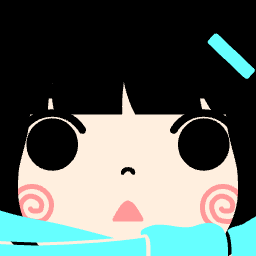
Use these generated avatars as references for retro, gaming, and 8-bit profile picture styles.



Why Use Our Free Pixel Art Generator?
Tools for creating small, readable 8-bit style avatars.
Precision Pixel Editor
Adjust the visible parts of a pixel-style avatar with direct browser controls.
Flash-Free Technology
Modern HTML5 canvas technology, no plugins required.
High-Quality Exports
Download your creations in high resolution PNG format.
Client-Side Processing
All rendering happens in your browser for speed and privacy.
Use Pixel Art Everywhere
Practical places where a simple pixel avatar can be useful.
Assets for Indie Games
Useful as a starting point for retro-style indie game character ideas.
Avatars for Twitch & YouTube
Stand out with a unique 8-bit profile picture.
Profile Pictures for Discord
Custom avatars that stay clearer when the face and background have enough contrast.
Style for Retro Social Media
Add a nostalgic touch to your social media presence.
Guide to the Free Pixel Art Generator
Create a simple pixel-style avatar in three steps.
Select Your Base
Choose a starting shape or template for your character.
Detailing with 8-Bit
Add eyes, mouth, hair, and accessories pixel by pixel.
Save as PNG
Export your finished artwork instantly to your device.
Unique Generator Functions
Features that set us apart from other tools.
No Flash Needed
Works on all modern browsers without legacy plugins.
Responsive on Mobile
Design on the go with our mobile-friendly interface.
HD Export Options
Get crisp, clear images for any use case.
Focus on Privacy
No data upload required, everything stays local.
Randomize Feature
Get instant inspiration with one-click randomization.
Browser-based editing
Create avatars in your browser with open web technologies.
Common Pixel Art Generator Questions
Everything you need to know.