Free Cat Pixel Art Generator: Create Custom 8-Bit Cats
Best for cute cat avatars and playful profile pictures
The Cat Pixel Art Generator is for people who want a pet-themed profile picture with a cute, simple, and recognizable look. Cat ears, whiskers, and expressive eyes make the avatar easy to identify even when it appears as a small Discord or forum icon.
Browse cat avatar examplesBest for
- Cute cat profile pictures
- Pet-themed Discord and forum avatars
- Playful social media icons
- Simple pixel cats for casual communities
Practical tips
- Keep ears and eyes near the center so circular crops do not hide them.
- Use a simple background so the cat shape stays recognizable.
- Choose one expression rather than adding too many accessories.
- Use contrast around whiskers and ears for small-size readability.
Cat crop safety
Cat Avatar Crop Safety Guide
Cat avatars have a different crop problem from human faces. The details that make the icon read as a cat, such as ears, whiskers, bows, and collars, often sit close to the edge of the square. Many platforms display profile pictures in a circle, so a cat design should keep the recognizable features inside a safer center area.
If the cat identity depends only on edge details, such as a tiny ear tip or thin whiskers, move those details inward before export.
- Keep both ears visible inside the square instead of pushing them into the top corners.
- Place the eyes slightly below the top third so the face still reads after a circular crop.
- Avoid whiskers that touch the left or right edge because they may be clipped or hidden.
- Use a background color that separates clearly from the fur color and ear shape.
- Preview the same design as both a square icon and a circle before downloading it.
Expression planning
Choosing the Right Cat Expression
The expression should match how the avatar will be used. A cat profile picture for a casual community can be softer than a reaction-style icon, while a gaming or chat avatar often benefits from a clearer mood. Pick one expression first, then add accessories only if they support that mood.
Design limits
Cat Avatar Design Mistakes to Avoid
A cat pixel avatar is strongest when the silhouette is obvious before the decoration is noticed. It is not the best format for complex pet portraits, realistic fur markings, or accessory-heavy character designs. Keep the ears, eyes, and face shape clear first; then add only the details that still work at small size.
- Do not use a background color that is too close to the fur color.
- Do not stack glasses, bows, collars, hats, and patterns in one small avatar.
- Do not place ears or bows in the extreme corners of the square.
- Do not make whiskers so thin that they disappear on a mobile screen.
- Do not rely only on color; the cat silhouette should still be readable in grayscale.
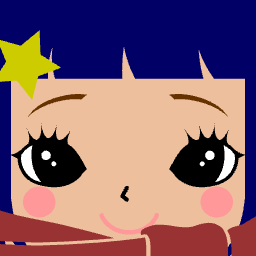
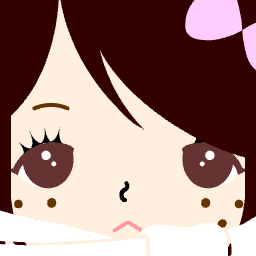
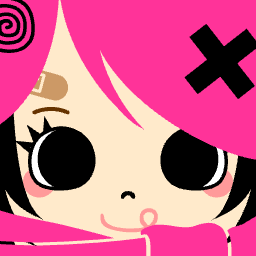
Cat avatar examples
Browse generated examples for cute, playful, and pet-themed avatar ideas.

Why Choose This Free Cat Pixel Art Generator?
A focused tool for creating small cat-style pixel avatars.
Simple Cat Customization
Adjust cat-style features while keeping the face readable at small avatar sizes.
Authentic Retro 8-Bit Style
Use blocky shapes and limited colors for a classic retro look.
Pet-Themed Profile Ideas
Create original cat-inspired avatars without relying on existing character brands.
Fast & Free PNG Downloads
Download the finished cat avatar as a PNG from the browser.
Uses for Your Free Cat Pixel Art
Creative ways to use your generated cat avatars.
8-Bit Avatars for Gamers
Use as your profile picture on Steam, Discord, or Twitch.
Assets for Indie Games
Create sprite assets for your own retro-style games.
Cute Social Media Icons
Stand out with a unique cat avatar on Twitter or Instagram.
DIY Perler Bead Designs
Use the pixel grid as a pattern for bead crafts.
How to Use the Cat Pixel Art Generator
Three simple steps to your purr-fect cat.
Select Base Cat Shape
Choose the starting body shape for your cat.
Draw with Pixel Precision
Customize colors and patterns pixel by pixel.
Add Free Accessories
Finish your design with collars, hats, and other cute items.
Key Features
What makes our generator stand out.
Completely Free to Use
No hidden fees or premium unlocks.
Accurate Pixel Grid
True 8-bit precision for authentic pixel art.
Transparent Backgrounds
Downloads come with transparent backgrounds for easy use.
Pure Logic, No AI
Hand-crafted algorithmic generation, not AI concepts.
Works on Mobile
Design on your phone or tablet seamlessly.
Original Cat Avatar Parts
Use generic ears, eyes, markings, and accessories for original cat profile ideas.
Cat Pixel Art Generator FAQ
Answers to common questions.